
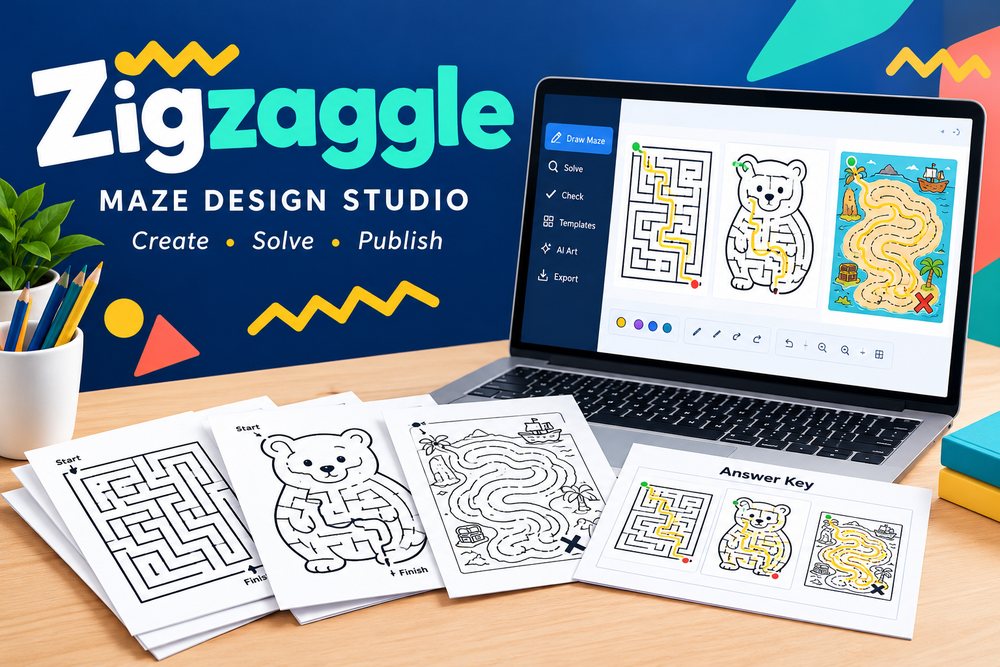
Quick Summary
- Product: Zigzaggle (Zigzaggle Studio)
- Creator: Kevin Huynh
- Launch Date: Thursday, October 22, 2026 at 9:00 AM (US Central Time); the launch price runs until Thursday, October 29 at 9:00 AM CT
- Front-End Price: $27 one-time 👉 Amazing Discounted Price Right Here! 📌
- Category: Browser-based maze maker for KDP puzzle books, printables, classroom worksheets and papercraft mazes
- Refund Policy: 14-day money-back guarantee
Maze books and printable maze pages sell all year, from kids’ activity books on Amazon to holiday worksheets on Teachers Pay Teachers. The slow part has always been the making: drawing a maze that fits a shape, checking it can actually be solved, drawing the answer key, then laying the whole thing out at the right trim size for KDP.
Zigzaggle is built to take those slow parts off your plate. I used it to put together a complete dinosaur maze book for KDP plus a small printable pack, and in this review I’ll walk you through how it works, who made it, every feature, the price, each upgrade, and how my book turned out.
What Is Zigzaggle? How Does It Work Step By Step?
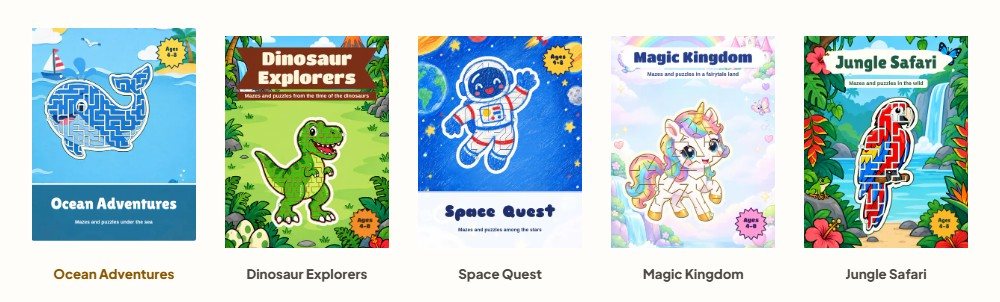
Zigzaggle (Zigzaggle Studio) is a pro maze design studio that runs in your browser. It draws, solves and checks mazes in more than 25 maze types, from shape, word and picture mazes to labyrinths, tube mazes and fold-up papercraft animals, and every page comes with an answer key drawn from the real solution. You can build single printable pages or full KDP maze books of up to 60 interior pages, with a Cover Studio and KDP checks, and download everything as print-ready PDF or PNG at 300 dpi, or as SVG, with no watermark and a commercial licence.
It also turns your own photos into mazes right in the browser, with no AI and no credits needed, and it includes a full design studio with thousands of graphics, backgrounds, frames and fonts so each page looks finished.
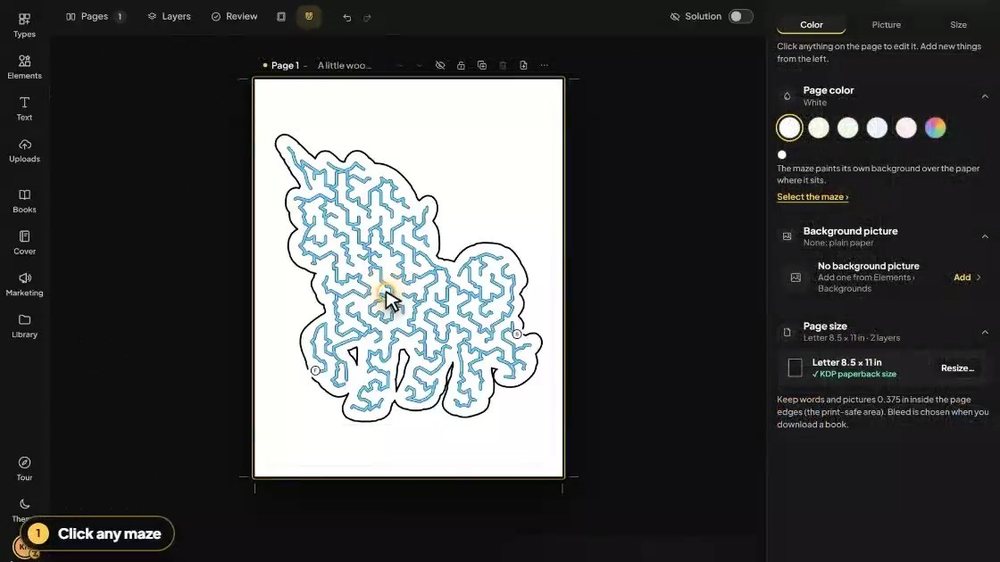
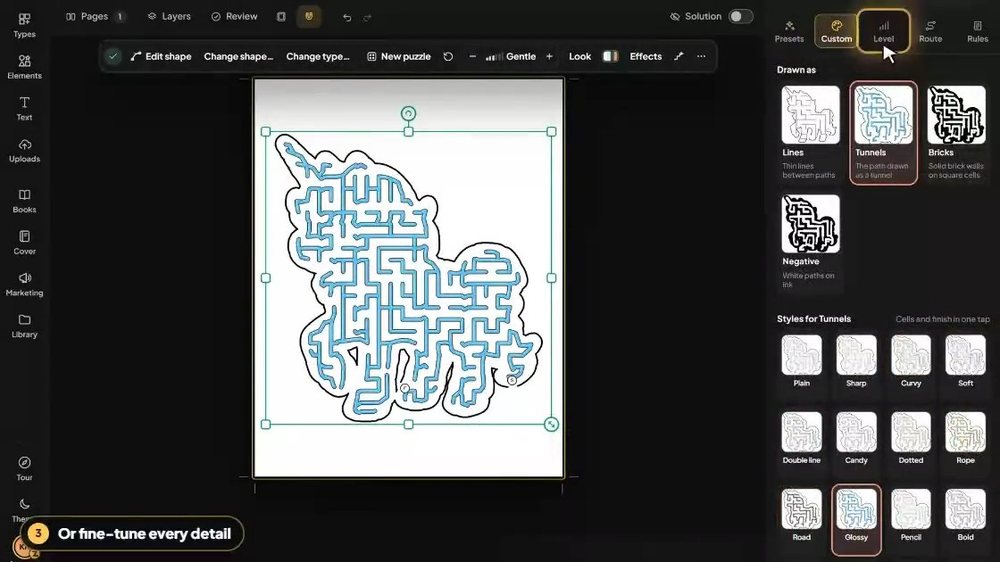
Here’s the simple three-step flow I followed for every maze page:
➤ Step 1 — Choose how to start. Pick a maze type from the Types tab, then start from a blank maze of that type or from one of the ready-made pages, each of which already has its answer key.
➤ Step 2 — Make it yours. Change the look (lines, tunnels, bricks or negative), set the level from Baby to Extreme, type in your own words or names, add rules like collecting items, and press New puzzle whenever you want a fresh path.
➤ Step 3 — Print it or sell it. The Review panel checks the answer path, margins, picture resolution and print size, and then you download the page as PDF or PNG at 300 dpi, in color or black and white, with the answers included.
For a book, you simply repeat this page by page (up to 60 interior pages), download the book PDF with the answers at the back, make the cover in Cover Studio and upload both files to KDP yourself.
About The Creator
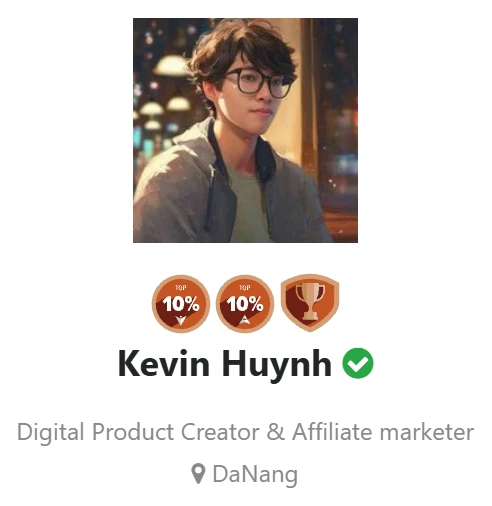
Zigzaggle is created by Kevin Huynh, a digital product creator and affiliate marketer who builds and sells his own products on WarriorPlus. Kevin is a Top 10% Vendor on WarriorPlus, and as an affiliate he has finished in the top places of many WarriorPlus launch contests, so he knows exactly what buyers expect from a launch.
That experience shows everywhere in this product. Zigzaggle is a real, polished app with a clear video, short loops of actual editing sessions, a written refund policy and a plain “No thanks” on every upgrade. Kevin also offers a weekly template every Monday, a Tour center full of video tutorials and direct support at support@zigzaggle.com, which tells me he plans to look after his buyers well past launch week.
Zigzaggle Review – Key Features
✅ 25+ Maze Types In One Studio: Shape, word and letter mazes, picture reveals, road and treasure-map mazes, tube mazes, alphabet and number trails, classical labyrinths, papercraft animals and a 3D letter maze all live in one editor. Each type has its own Presets, Custom settings, Level, Route and New puzzle controls, so you can build a varied book without switching tools.
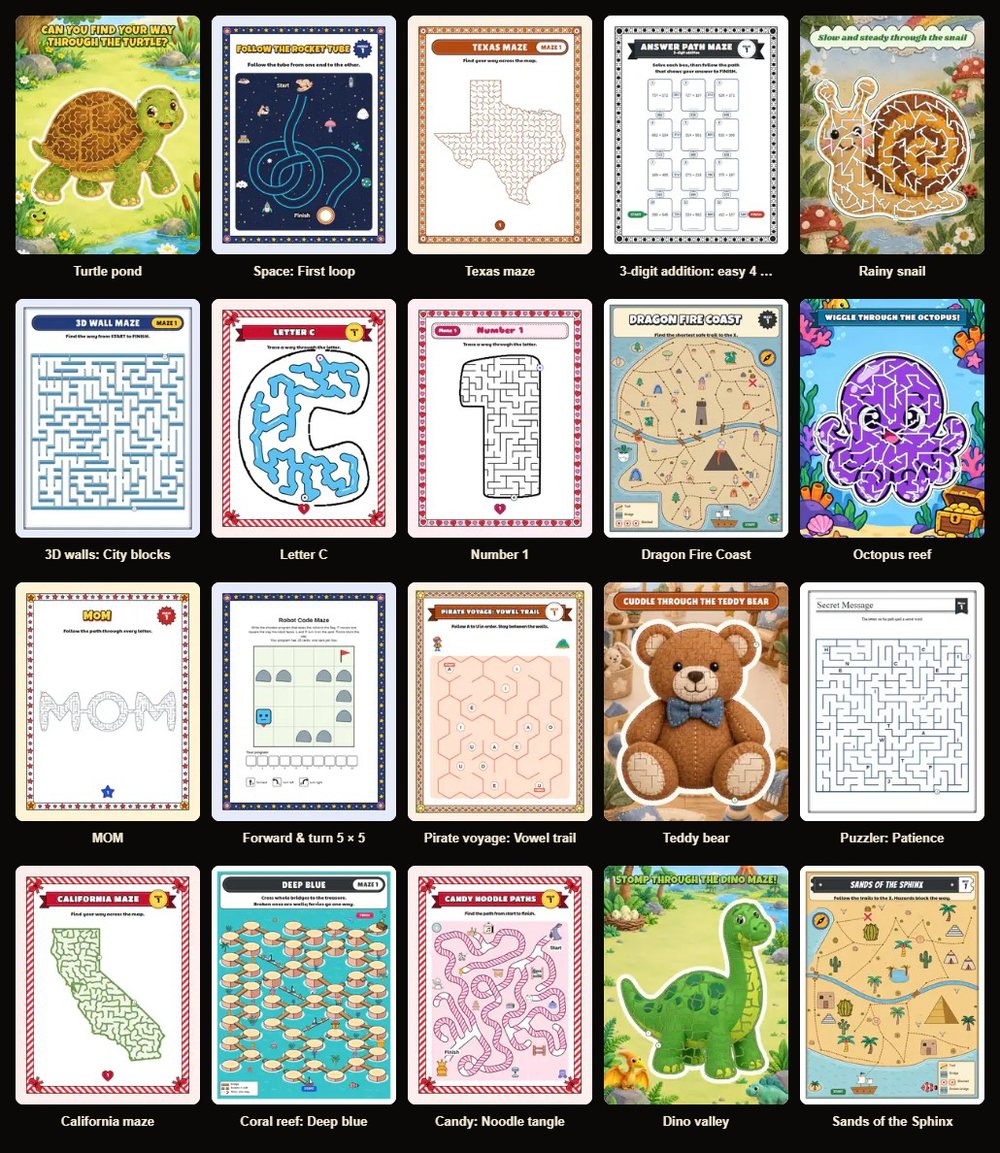
✅ Every Maze Solved And Checked: Zigzaggle solves every maze it draws and builds the answer key from that same solution. Before you download, the Review panel checks the answer path, margins, picture resolution and print sizes; errors block the download and warnings are shown, so a broken maze never slips into a book.
✅ Levels From Baby To Extreme: One slider takes a maze from a toddler-friendly path to an extreme challenge. Combined with the tunnel width control and the START/FINISH markers, it makes it easy to aim a book at a clear age group, from preschoolers to adults.
✅ Shape Library And Word Mazes: Search thousands of shapes and the maze grows inside the outline, with an Easy-safe filter for younger kids. Or type a name or word of up to 4 lines and 40 letters a line, and the maze runs through the letters, which is perfect for personalized printables and birthday pages.
✅ Photo Mazes Without Credits: Upload a picture (PNG, JPEG, WebP or SVG up to 10 MB) and Zigzaggle traces it into a maze right in your browser. There’s no AI and no credits involved, so you can turn pet photos, products or logos into maze pages as often as you like.
✅ KDP Book Tools And Cover Studio: Choose 8.5 × 11, 8.5 × 8.5, 8 × 10, 6 × 9 inches or A4, build up to 60 interior pages, and download a book PDF with the answers at the back. Cover Studio, the KDP checks and a royalty calculator help you get the files right the first time, and there’s even an e-ink file for Kindle Scribe.
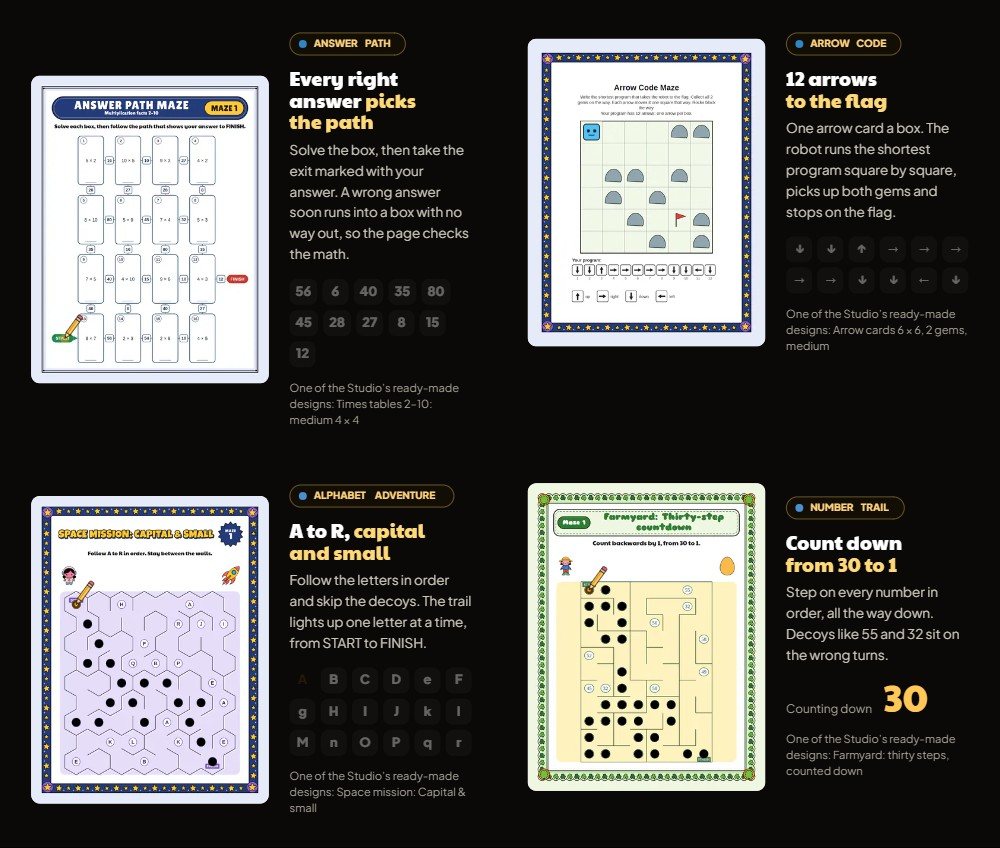
✅ Worksheets With Answer Paths: Build learning mazes where each right answer picks the path, such as counting down from 30 to 1 or following capital and small letters. You can import your own questions from a CSV, which makes classroom packs for Teachers Pay Teachers quick to produce.
✅ Papercraft Maze Models: Print a sheet on Letter or A4, cut on the solid lines, fold on the dashed lines and glue each lettered tab, and you have a 3D animal or letter with a maze to solve on the folded model. It’s a fun product type that most maze tools don’t offer.
✅ Full Design Studio: Pages and layers, snap, margins, Undo/Redo, thousands of graphics, backgrounds, frames, headers, badges and real fonts, plus 2 GB of uploads and room for 200 cloud designs. Your pages come out looking like finished products, not plain grids.
✅ Print-Ready Export And Commercial Licence: Download PDF and PNG at 300 dpi or SVG, in color or black and white with a dashed answer line, all without a watermark. The commercial licence covers print and digital sales and client work, with no royalty to Zigzaggle.
DEMO VIDEO
🎁Exclusive Vendor Bonuses
Zigzaggle comes with these extras built into the Studio:
- Ready-Made Designs For Every Type: starter pages for each maze type, each with its answer key, so you can publish on day one.
- Free Weekly Template: a new template lands in the Studio every Monday.
- Tour Center Video Tutorials: short videos that show each tool and maze type in action.
- Community Templates: designs shared by other makers that you can open and edit.
- Share Links: send a design to a client or a partner with one link.
Zigzaggle Pricing & Funnel Summary
Zigzaggle Front End ($27)
Zigzaggle Studio is $27 as a one-time payment during the launch, and the price moves to $47 on Thursday, October 29 at 9:00 AM CT. Checkout runs through WarriorPlus and takes cards or PayPal. For that you get all 25+ maze types, the ready-made designs, photo mazes, the KDP book tools and Cover Studio, PDF/PNG/SVG export, the commercial licence, 200 cloud designs and 2 GB of uploads. A 14-day money-back guarantee covers the purchase, which makes it easy to try a few pages first.
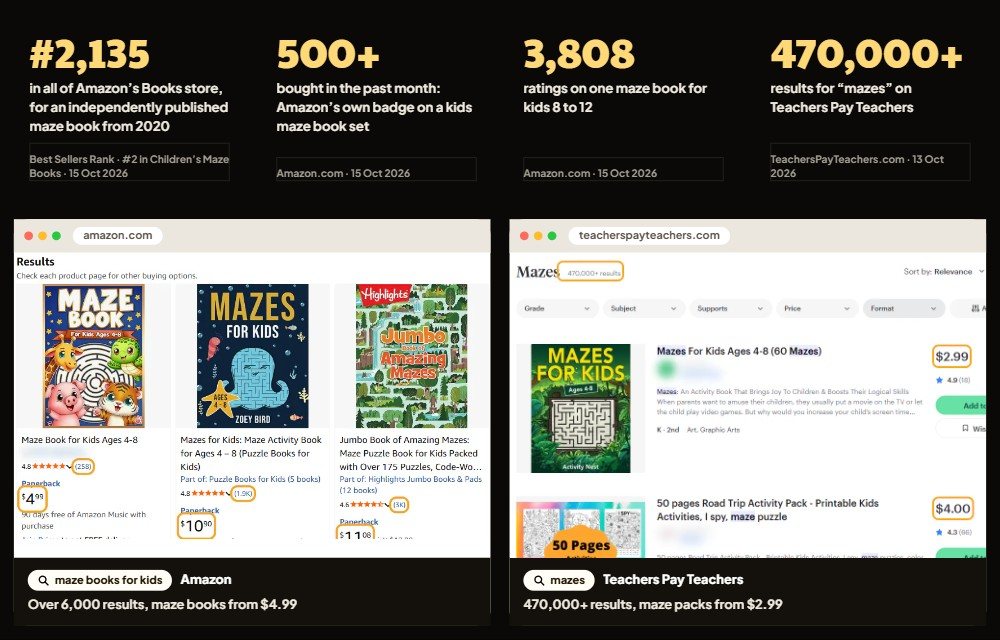
Is it worth it? A free online maze generator gives you a plain square grid with no shapes, no answer-key layout and no KDP sizing, and a pack of maze templates gives you the same pages every other buyer has. Zigzaggle draws fresh, solved mazes in dozens of styles and builds the whole book file for less than the cost of one month of many design subscriptions. It’s a natural fit for KDP publishers, Etsy and Teachers Pay Teachers sellers, teachers and parents. One small thing worth knowing: the front end makes books page by page, which kept my first book very relaxed, and if you plan to publish at volume, Bulk PRO adds whole books in one click.
💡 Value-for-Money Rating: 9.5/10
For $27 once, you get a real maze studio that solves and checks every page, makes KDP-ready books and covers, and comes with a commercial licence and no watermark. It’s outstanding value for anyone selling puzzle books or printables.
👉 Get Zigzaggle At An Exclusively Discounted Price 📌
The Upsells:
➡️ OTO 1 — Pro Types + AI ($47): Pro Types + AI takes you to 55+ maze types by adding 31 more, including rule mazes, logic boards, labyrinths, weave and bubble mazes, beads, ladders and noodles. It adds every AI tool (AI picture maze, AI photo cut-out, AI backgrounds and AI cover art), 500 AI credits that never expire for up to 250 AI picture mazes, premium presets and pro rules like checkpoints and no left turns. Ideal for sellers who want puzzles that stand out.
➡️ OTO 2 — Bulk PRO ($77): Bulk PRO makes a whole book in one click at Slim, Standard, Thick and Jumbo sizes, with up to 200 mazes and 20 word mazes. It adds layouts of 1, 2, 4, 6 or 9 mazes a page, up to 12 activity sections, large-print books, e-ink editions for every device, batches of up to 60 pages and room for 2,000 cloud designs. Perfect for publishers building a series.
➡️ OTO 3 — Book Marketing Studio ($67): Book Marketing Studio helps your listing look as good as your book. You get image templates in every channel size with up to 24 artboards a project, a video studio for MP4 clips from 0.5 to 60 seconds, a Listing Kit for Etsy, KDP, Pinterest, Instagram, TPT and Shopify, plus asset packs of up to 120 mazes and a Teachers Pay Teachers pack.
➡️ OTO 4 — Zigzaggle Publisher ($197): Publisher adds 41 more maze types, bringing the total to 95+ with the Studio and Pro Types + AI, from papercraft models to tube and path mazes, learning and classroom activities. It includes full-page 3D worlds to walk through, batch books and numbered series of up to 10 finished books in one run, and bigger limits for uploads, designs and AI pictures. Built for serious catalog builders.
➡️ OTO 5 — Zigzaggle Club ($27 a month or $127 Lifetime): The Club delivers hundreds of new ready-made designs every month, with fresh drops every Monday made by the Zigzaggle design team. You can open and edit every past weekly template, use any maze type a template needs, and sell the pages and books you make with them. A great way to keep seasonal content flowing.
Why Should You Choose Zigzaggle?
My Personal Experience With Zigzaggle
I had review access before launch, so I built a 50-page KDP activity book called “Dino Trails: A Prehistoric Maze Adventure for Kids 4–8”, sized 8.5 × 11 inches, plus a small Etsy printable pack using the same pages.
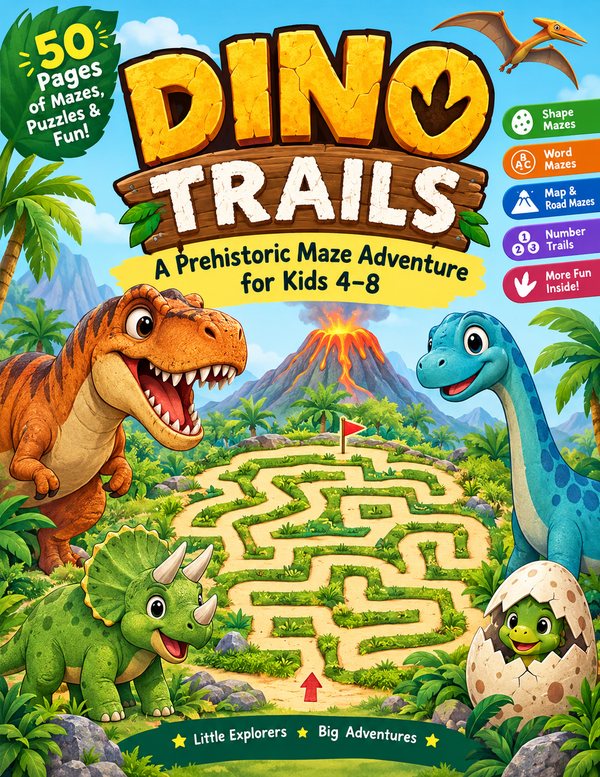
I wanted a book that moves from easy to tricky, so a young child feels proud early and still has a challenge near the end. Here’s how “Dino Trails” came together:
- Pages 1–10 — Baby Dino Paths: shape mazes inside a T. rex, a stegosaurus and a dino egg, set to the Baby and Easy levels with wide tunnels.
- Pages 11–18 — Spell The Dinosaur: word mazes running through names like RAPTOR, TRICERATOPS and DIPLODOCUS.
- Pages 19–26 — Volcano Valley Map: treasure-map and road mazes with collect-the-bones rules.
- Pages 27–34 — Fossil Count: number-trail worksheets counting from 1 to 20 and back down.
- Pages 35–42 — My Pet Dino: photo mazes traced from toy dinosaur pictures I took on my desk.
- Pages 43–48 — Jurassic Labyrinth: classical labyrinths at Medium and Hard for older kids.
- Pages 49–50 — Fold-Up Bonus: a papercraft dinosaur with a maze to solve on the folded model.
Each maze drew in seconds. Most of my time went into picking graphics and frames for each page, about three evenings in total. The Review panel flagged two pages where a picture sat too close to the margin, and fixing them took a minute each. I spent another twenty minutes polishing the cover in Cover Studio, which is normal for any book. The answers landed neatly at the back of the PDF, and KDP accepted both files on the first upload.
For Etsy, I exported 20 of the pages as a black-and-white printable pack at 300 dpi and listed it as a classroom and road-trip activity set.
In the first few weeks, “Dino Trails” sold around 102 copies on Amazon for approximately $350 in royalties, and the Etsy pack sold 56 times for $280. That’s a strong start for one book, and I’m already working on an ocean edition and a Christmas maze book.
Common Questions About Zigzaggle
- Is there a subscription?
No. The Studio is one payment. Only the Zigzaggle Club is a membership, and it’s optional. - What do I need to run it?
An up-to-date Chrome or Edge on Windows, Mac or Chromebook. Nothing to install, and tablets and phones work for quick edits. - Can I sell what I make?
Yes. You can sell your pages and books with no royalty to Zigzaggle and no watermark; you just can’t resell the app, its art library or its ready-made pages unchanged. - Will my mazes be the same as other buyers’?
Only if you leave a ready-made page unchanged. New puzzle draws a fresh path every time. - Does the Studio use AI or credits?
No. Photo mazes are traced in the browser with no credits. AI features are in the optional Pro Types + AI upgrade. - Are there limits?
There’s no limit on mazes. You get 200 cloud designs, 2 GB of uploads and up to 60 interior pages per book.
Comparison Table: Zigzaggle vs. Alternatives
| Option | Cost | Maze Variety | Answer Keys | KDP Book Files |
|---|---|---|---|---|
| Zigzaggle | $27 one-time | 25+ types | Solved & checked | Built in |
| Free maze generator | Free | Plain grids | Basic | No |
| Maze template pack | One-off purchase | Fixed pages | Included | Manual layout |
| Drawing it yourself | Your time | Unlimited | By hand | Manual layout |
Pros and Cons of Zigzaggle
- ✅ 25+ maze types in one browser studio, from shapes and words to papercraft.
- ✅ Every maze solved and checked, with answer keys drawn from the real solution.
- ✅ KDP trim sizes, Cover Studio, KDP checks and a book PDF with answers at the back.
- ✅ Photo mazes with no AI and no credits.
- ✅ 300 dpi export with no watermark, a commercial licence and a 14-day refund.
- ⚠️ Books are built page by page on the front end, which is relaxed for a first book; Bulk PRO adds one-click books if you publish at volume.
- ⚠️ AI picture mazes live in Pro Types + AI, a natural add-on once you want even more eye-catching pages.
Final Verdict on Zigzaggle
Zigzaggle turns maze making into a calm, repeatable routine: pick a type, make it yours, and download a checked page or a complete KDP book with its answer key. At $27 one-time with a commercial licence and a 14-day refund, it’s an easy recommendation for puzzle book publishers, printable sellers and teachers. If you plan to publish a whole series, pairing it with Bulk PRO is the smooth route. In my opinion, Zigzaggle is worth considering, especially while the launch price is still available.
That’s all what I want to share with you about Zigzaggle. I hope that my review can give you a helping hand in deciding what is best for you.
Important Reminder: When you purchase this product through my special link, you’ll unlock exclusive, valuable bonuses that you won’t find anywhere else! (Please note: these bonuses are only available with the full purchase-not with trial or free versions.)
To claim your bonus gifts, simply complete these two easy steps:
⏩ Step 1: Click the Buy Now button below to secure your copy of this product.

⏩ Step 2: Once your purchase is confirmed, just send a copy of your receipt to dannyreview98@gmail.com. I’ll verify your order and personally send you all the details on how to access your bonus materials.
»»VIP Bonus Package 2026««
»»Graphic Bonus Package««
»»Theme Bonus Package««
»»Plugin Bonus Package««
»»General Bonus Package««


Leave a Reply