
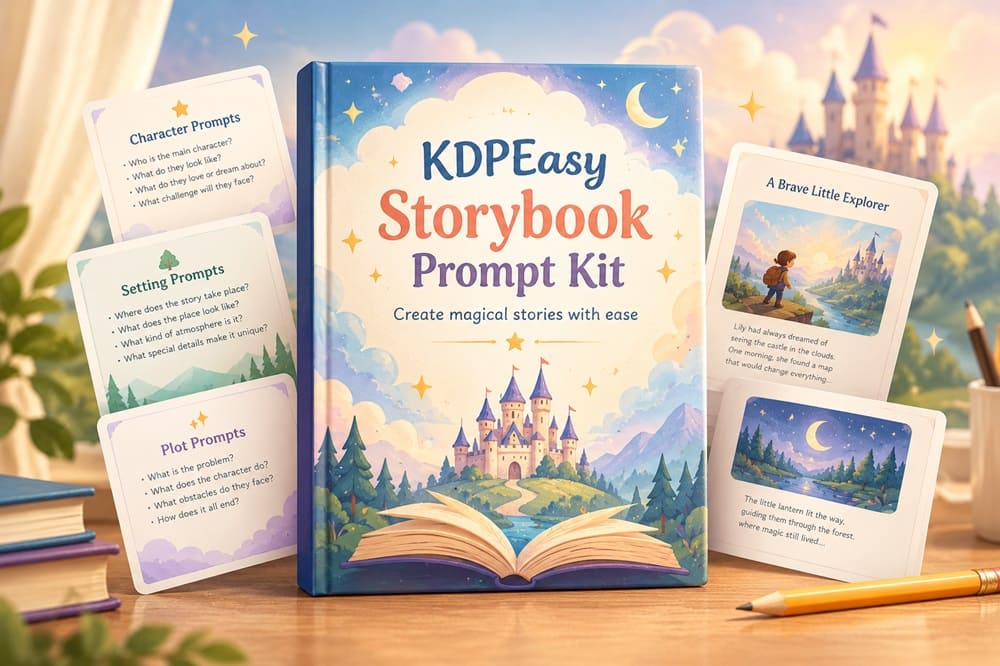
📌 Quick Summary
- Product: KDPEasy Storybook Prompt Kit
- Creator: Lucky Smith / KDPEasy Studio
- Front-End Price: $16.95 👉 Amazing Discounted Price Right Here! 📌
- What It Is: A web app that turns one story idea into a full set of ChatGPT prompts for a character-consistent, black-and-white coloring storybook — the story, every page’s illustration, the covers, and the Amazon listing copy
- Best For: Etsy sellers and KDP publishers who already make coloring pages in ChatGPT but keep losing the character between pages
What Is KDPEasy Storybook Prompt Kit? How Does It Work Step By Step?
KDPEasy Storybook Prompt Kit is a browser-based prompt builder that writes every ChatGPT prompt a coloring-storybook creator needs — the narrative, one illustration prompt per page with the story text already embedded, the front and back covers, and even the Amazon listing copy. You still open ChatGPT yourself and paste each prompt in; the tool’s whole job is making sure those prompts keep describing the exact same character every time.
The mechanism behind that is what the tool calls a Character Bible — a locked set of specs (species, body shape, face, coloring, outfit) that gets baked into every single page prompt automatically, instead of you retyping a character description and hoping ChatGPT remembers it three pages later.
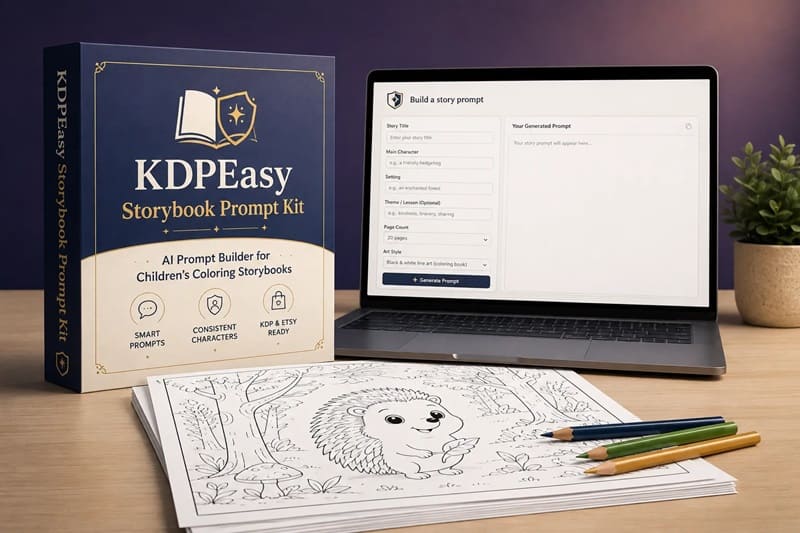
Here’s the step-by-step flow as I worked through it:
➤ Step 1 — Build The Story. You type a sentence or a short paragraph describing your idea, set your page count, character details, art style, and book shape, and the tool writes a complete story with a beginning, middle, and end, plus the Character Bible that will govern every page.
➤ Step 2 — Get Your Page Prompts. You paste ChatGPT’s story reply back into the tool, choose where the text sits on each page (top, bottom, left, right, or auto), and it hands you one ready-to-paste image prompt per page, plus a single bulk .txt file with all of them.
➤ Step 3 — Generate The Pictures. You open a fresh ChatGPT chat dedicated to images, paste in the page 1 prompt first to lock in how the character actually renders, then run the rest of the pages through that same chat so ChatGPT keeps referencing the same visual thread.
➤ Step 4 — Add Covers And The Listing. You enter your title, an optional subtitle, author name, and brand, pick a cover style, and generate a full-color front and back cover in the same image chat — then the tool writes out an Amazon listing prompt covering your book description, backend keywords, and category suggestions.
KDPEasy Storybook Prompt Kit Review – Key Features
Here’s what’s actually inside once you’re logged in:
✅ One-Sentence Story Generator: Type a single idea and get back a full story with a real beginning, middle, and end, instead of having to plot the whole thing yourself.
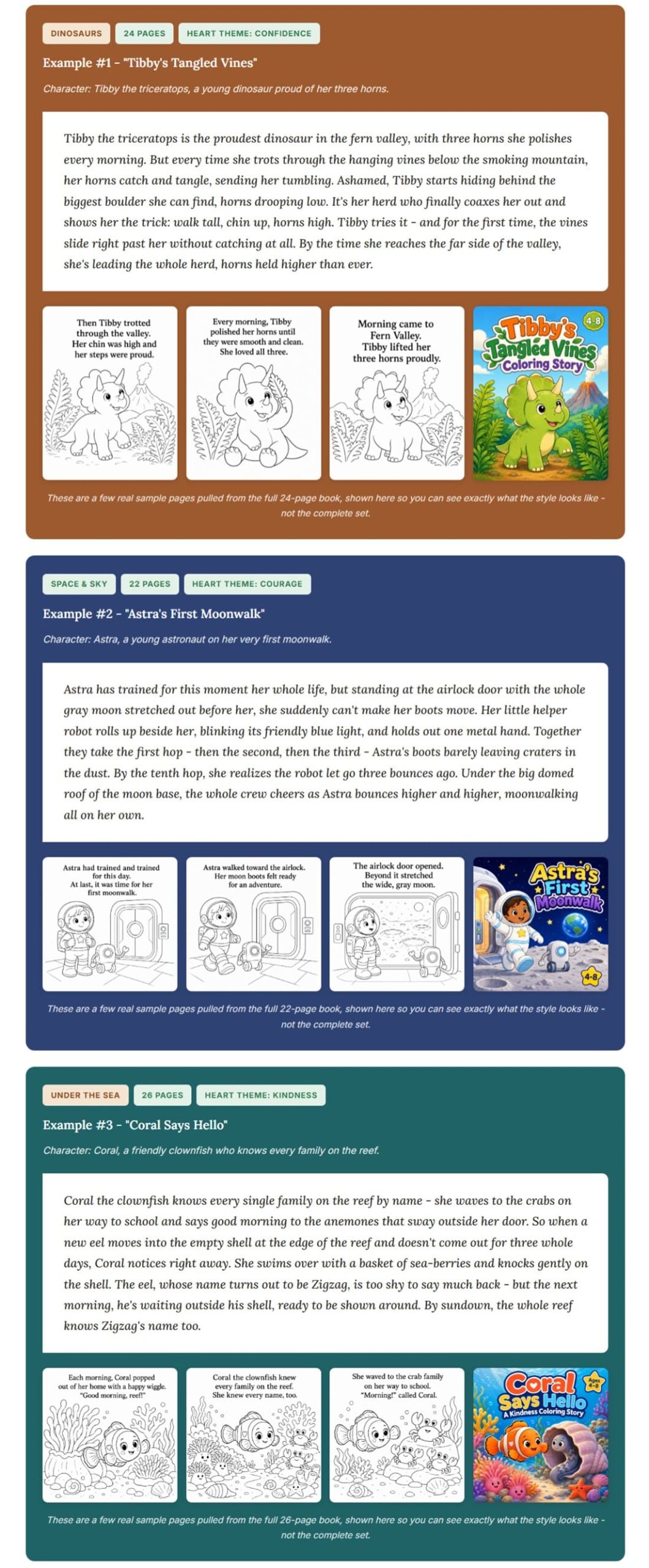
✅ Locked Character Bible: Species, body, face, coloring, and outfit get fixed once and then reused automatically in every page prompt, which is the part that actually fixes the consistency problem.
✅ One Prompt Per Page, Text Included: Each of your 20 to 40 pages gets its own illustration prompt with the story text already embedded in it, ready to paste straight into ChatGPT.
✅ Full-Color Cover Prompts: A matching front and back cover prompt, generated with a barcode-safe corner already built in so you’re not fighting Amazon’s requirements after the fact.
✅ Amazon Listing Prompt Generator: A prompt that produces a seven-section book description, backend search keywords, and category suggestions for your KDP listing.
✅ Six Real KDP Trim Sizes: 8.5×8.5, 8×8, 6×9, 8×10, 8.5×11, and 11×8.5 landscape — actual Amazon-supported dimensions rather than a generic square you have to resize later.
✅ Two Art Styles: Bold & Simple or Bold & Rounded, both built around the thicker, cleaner linework that works for the 4-to-8 age range this kind of book usually targets.
✅ Bulk .txt Download: Every prompt for the whole book exports as one text file, so you’re not copying pages one at a time out of a browser tab.
👉 Get KDPEasy Storybook Prompt Kit At An Exclusively Discounted Price 📌
Exclusive Vendor & Reader Bonuses
🎁 250 Story Sparks: A paste-ready collection of story ideas spanning 14 niches — Animal Friends, Under the Sea, Dinosaurs, Space & Sky, Fairy Tale & Magic, Woodland Forest, Farm & Countryside, Things That Go, Community Helpers, Seasons & Weather, Holidays & Celebrations, Bedtime & Cozy, Friendship & Feelings, and Adventure & Journeys — useful on the days you’ve got the tool open but not a single idea in your head.
🎁 Canva Design Guide: A walkthrough for turning the finished ChatGPT images into an actual print-ready KDP interior and cover in Canva, including how to set up single-sided printing with blank backs, which is the step a lot of first-time coloring-book publishers get wrong.
🎁 Niche Research Report: A market breakdown covering demand versus competition, a seasonal publishing calendar, keyword starting points, and a framework for actually picking a niche instead of guessing.
🎁 Quick-Start Guide: A short overview document that walks the whole four-step process end to end, handy the first time through before the workflow becomes second nature.
DEMO VIDEO
KDPEasy Storybook Prompt Kit Pricing & Funnel Summary
KDPEasy Storybook Prompt Kit Front End ($16.95)
Unlock everything for a one-time $16.95 — access link, password, and all four bonuses delivered instantly. The page frames that as $16.95 against a stacked value of $127 (the core tool at $47, plus the three paid-value bonuses and the quick-start guide), which is the kind of math I’d normally take with a grain of salt, but even judged on its own the price is low enough that the stacking doesn’t need to do much convincing. I read the guarantee before buying too: 30 days to decide, and if it doesn’t save you time, you email for a full refund and keep the bonuses regardless — about as low-friction as a guarantee gets.
Is $16.95 worth it on its own? For anyone already hand-typing character descriptions into ChatGPT and losing the thread by page five, I’d say clearly yes — a single Fiverr illustrator commission for a 20-to-40-page coloring book routinely runs $150 to $400 or more, and this replaces the exact failure point that makes DIY prompting frustrating in the first place, for less than the cost of a large pizza.
💡 Value-for-Money Rating: 9.5/10
For an Etsy or KDP seller planning more than one coloring book, $16.95 to solve character consistency and get covers and listing copy in the same workflow is an easy call. The real cost the sticker price doesn’t cover is everything downstream of the prompts themselves — you’ll still want ChatGPT Plus if you’re publishing regularly.

The Upsells:
➡️ OTO 1 — Automation & Upscale Pack ($27): Adds a no-text plain-coloring-pages mode for when you want interiors without embedded story text, an image upscaler, and a PDF builder aimed at speeding up production once you’re publishing at any real volume.
➡️ OTO 2 — Full-Color & Pro Styles Upgrade ($37): Unlocks full-color storybook output on top of the black-and-white default, adds more illustration styles, a character reference sheet for even tighter consistency, and title/copyright page templates.
➡️ OTO 3 — Series Creator Pack ($57): Built for series mode — reusing the same locked character across a whole line of books rather than starting the Character Bible over for every new title.
Why Should You Choose KDPEasy Storybook Prompt Kit?
My Personal Experience With KDPEasy Storybook Prompt Kit
For my test, I built a 24-page coloring storybook called “Nutmeg The Brave,” about a small, floppy-eared dachshund puppy who’s scared of the thunderstorm on the night of the town’s big lantern festival — and has to work up the courage to go find his missing family. I went with the Bold & Rounded style and the 8.5×8.5 trim, since that’s the format I see doing best in the coloring-book niche on Etsy right now, and I typed my whole idea as a single paragraph rather than one bare sentence, just to see how the tool handled more detail going in.
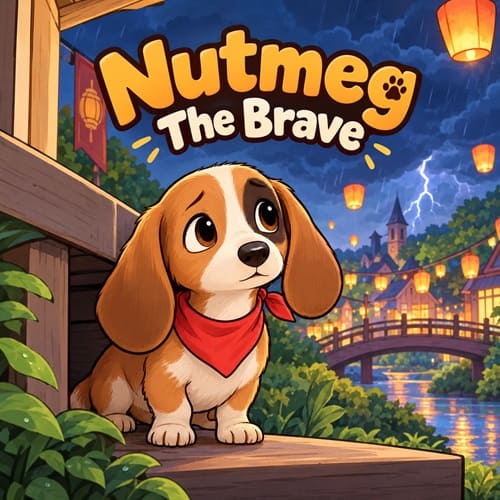
The Character Bible it generated locked Nutmeg as a small tan-and-white dachshund puppy with oversized floppy ears, a red bandana, and one dark patch over his left eye — and that description carried through all 24 page prompts without me having to touch it again. Here’s a sample of the pages that made the final book:
- Page 1 — Thunder Over Maple Hollow: Nutmeg hiding under the porch steps as the first storm clouds roll over the festival banners
- Page 4 — The Empty Kitchen: Nutmeg discovering his family’s lanterns still sitting unlit on the table, realizing everyone’s already left
- Page 9 — Crossing The Wobbly Bridge: Nutmeg creeping across a narrow wooden bridge over the creek, bandana flapping in the wind
- Page 13 — A Friend In The Fog: Nutmeg meeting an old barn owl who offers to guide him the rest of the way
- Page 17 — The Loudest Boom Yet: Nutmeg freezing mid-step as thunder cracks directly overhead, ears pinned flat
- Page 20 — Following The Lantern Light: Nutmeg spotting the warm glow of the festival lanterns through the trees at last
- Page 24 — Home By Lantern Light: Nutmeg reunited with his family under the festival lanterns, storm clouds clearing overhead
One page’s text, written out in full, from Page 17: “BOOM! The sky cracked open, and Nutmeg froze — one paw in the air, ears flat against his head. ‘Almost there,’ he whispered to himself, and took one more brave step forward.”
Start to finish — the story prompt, all 24 page prompts, generating every image in ChatGPT, the covers, and the Amazon listing prompt — took me a little under two hours across two sittings, which tracks closely with the roughly-an-hour-per-short-book estimate on the sales page once you count a 24-page book as being on the longer end of “short.” I had to regenerate four pages where ChatGPT drifted slightly on the bandana color, and I hand-adjusted the back cover blurb after the listing prompt generated a description that ran a little long for Amazon’s character limit. Every other page came out usable on the first pass, which is the exact problem I bought this to fix.
I published “Nutmeg The Brave” on KDP and listed a matching digital coloring-page bundle on Etsy about two weeks ago. In that time, it’s sold 22 copies combined across both platforms, bringing in around $61 — a modest start for a brand-new title in a crowded niche, but a real early signal for a book that took under half a workday to put together.
Comparison Table: KDPEasy Storybook Prompt Kit vs. Alternatives
| Factor | KDPEasy Storybook Prompt Kit | Writing Your Own ChatGPT Prompts | Hiring A Freelance Illustrator |
|---|---|---|---|
| Upfront Cost | $16.95 one-time | Free (your existing ChatGPT access) | Typically $150-$400+ per book |
| Character Consistency | Locked via Character Bible on every page | Drifts easily without careful manual tracking | Consistent, but depends on the artist |
| Time Per 20-40 Page Book | Roughly 1-2 hours, mostly ChatGPT generation | Several hours of trial and error on prompts alone | Several days to a few weeks |
| KDP Trim Size Matching | 6 real KDP trims built in | You calculate and resize yourself | Handled by the illustrator, if briefed correctly |
| Recurring Cost | None on the tool itself | Only your existing ChatGPT plan | New cost every book |
Final Verdict on KDPEasy Storybook Prompt Kit
After actually publishing a 24-page book with it, I think KDPEasy Storybook Prompt Kit solves the one problem that made me quit DIY coloring-book prompting before: keeping the character the same from page one to the last page. It won’t generate a single image for you and it won’t replace the time you spend in ChatGPT and Canva — but for $16.95, if you’re already publishing or thinking about publishing coloring content, I think it’s worth considering, especially while the launch price is still on the table.
Important Reminder: When you purchase this product through my special link, you’ll unlock exclusive, valuable bonuses that you won’t find anywhere else! (Please note: these bonuses are only available with the full purchase-not with trial or free versions.)
To claim your bonus gifts, simply complete these two easy steps:
⏩ Step 1: Click the Buy Now button below to secure your copy of this product.

⏩ Step 2: Once your purchase is confirmed, just send a copy of your receipt to dannyreview98@gmail.com. I’ll verify your order and personally send you all the details on how to access your bonus materials.
»»VIP Bonus Package 2026««
»»Graphic Bonus Package««
»»Theme Bonus Package««
»»Plugin Bonus Package««
»»General Bonus Package««


Leave a Reply